Travel feels exciting because it opens the door to new places, new people, and new experiences. However, knowing how can you protect a mobile device while traveling is essential, as your phone or tablet becomes a target for thieves, scammers, public network threats, and accidental damage. Many travelers focus on luggage, bookings, and documents, but forget that their device holds their identity, finances, memories, and access to almost every aspect of daily life.
So the real question is not whether you should protect it. The real question is how can you protect a mobile device while traveling in a world where risks change from one city to another. To answer that, we need to look at security from different directions. Digital security, physical safety, travel environment awareness, and behavior all play a role. A device is only as safe as the habits of the person holding it.
This guide brings you a complete, practical, human centered, fully detailed approach. No robotic advice. No shallow steps. Only clear, realistic, travel tested strategies you can use immediately. From the moment you prepare your bags to the day you return home, these methods help you protect your device and every sensitive detail inside it.
Why Travel Makes Your Device More Vulnerable
People often assume that cyberattacks happen only through complex tools that target corporations. The truth is far simpler. When you travel, you are distracted, rushed, and often connected to public networks. You leave your phone on restaurant tables, you hand it to strangers at hotel check ins, you charge it at airports, and you move through crowded places where pickpockets work with practiced skill.
Travel increases vulnerability because:
• You move through unfamiliar environments
• You rely heavily on public networks
• You meet many new people who gain temporary access to your device
• You multitask more, which increases mistakes
• You carry extra personal data related to tickets, finances, and identity
• You are often physically tired, which lowers your awareness
These factors make your phone more appealing to thieves and more exposed to digital threats. Once you accept that travel changes the security landscape, you can decide how to protect your device with a smarter plan.
Start with Pre Travel Protection
If you want to know how can you protect a mobile device while traveling, the answer always begins at home. Travel security starts long before you step out the door.
Back Up Everything
A full backup ensures that even if something happens, you can recover your information. Store a backup in two places: cloud storage and a local drive. Cloud accounts sync automatically, but a local copy protects you if someone gets access to your cloud through a stolen password.
Update Your Device
Updates fix vulnerabilities and strengthen your device against known threats. Travel exposes you to environments where these weaknesses matter more. Bring your device to the latest version of its software, apps, and security patches.
Set Strong Authentication
A device that unlocks with a simple pattern or easy code is a gift for anyone trying to break in. Use a long passcode and add biometric authentication. This protects your data even if your device is stolen.
Enable Remote Tracking
Turn on features that let you locate your device, lock it, or erase its data from anywhere. The moment you realize your phone is missing, you can act instantly.
Reduce Data Exposure
Clean your device. Remove apps you do not need. Sign out of accounts you will not use. Store sensitive documents in encrypted folders or in trusted cloud services. The less information you physically carry, the safer your device becomes.
Secure Your Device Physically During Travel
Many people focus only on digital threats, but physical risks are equally serious. When exploring how can you protect a mobile device while traveling, physical safety is the foundation.
Use a Strong Protective Case
Travel environments include drops, sudden bumps, crowded trains, and slippery surfaces. A thick case reduces the chance of cracks or internal damage. It also makes your device harder for pickpockets to grip quickly.
Keep Your Device Hidden
Visible phones attract attention. Avoid placing your device in your back pocket, outer jacket pocket, or the top flap of a backpack. Use inside pockets, front facing pockets, or concealed pouches.
Do Not Leave Your Device Unattended
Even a few seconds can be enough for someone to grab your phone. Hotel lobbies, airport seating areas, restaurants, and tourist spots are high risk areas. Always keep your device with you or in a locked bag.
Use Hotel Safes Smartly
If you leave your device in your room, lock it inside the safe. Never leave it on a table or bed. While safes are not perfect, they add an extra layer of difficulty for anyone trying to steal from your room.
Protect Your Device from Digital Threats
Digital security is a major part of understanding how can you protect a mobile device while traveling. When you connect to public networks, you expose your device to risks that are easy to underestimate.
Avoid Public WiFi Whenever Possible
Public networks are one of the most common sources of cyberattacks on travelers. They allow attackers to intercept traffic, plant malicious software, or trick you into fake login portals.
If you must use public WiFi, limit your activities to basic browsing. Never access your bank accounts or make payments on such networks.
If you want to understand how public WiFi risks work, the Cybersecurity and Infrastructure Security Agency explains it clearly in their security resources. You will find relevant guidance by visiting the CISA official website through this anchor text: CISA Cybersecurity Tips.
Use a Trusted Virtual Private Network
A VPN encrypts your traffic and protects your device from spying attempts on public networks. Choose a provider with strong encryption and a reliable privacy policy. Do not use free services that might monitor your data.
Turn Off Automatic Connections
Disable features that automatically connect your device to WiFi networks or wireless points without asking. This prevents your device from joining fake hotspots created by attackers.
Use Secure Charging Methods
Avoid public charging stations. They can be manipulated to inject harmful software into your device. Carry a personal power bank or use your own charger with a wall outlet. If necessary, use a cable that supports only charging, not data transfer.
Keep Bluetooth and NFC Off
These features can invite unwanted connections when left open. Activate them only when you need them and turn them off afterward.
Protect Your Data from Theft
When considering how can you protect a mobile device while traveling, data protection matters as much as physical safety. Even if someone cannot steal your device, they may still try to steal your information.
Encrypt Your Device
An encrypted device keeps your data unreadable without the correct password. Modern phones allow full device encryption, which is essential for travelers carrying sensitive files.
Use App Level Security
Some apps allow you to lock them individually with an additional password or fingerprint. Activate this feature for banking apps, cloud storage, and note apps containing personal information.
Disable Notifications on Lock Screen
A thief does not need full access to your phone to steal information. Notification previews can reveal codes, messages, and personal details. Disable sensitive notifications from showing on your lock screen.
Use Secure Cloud Storage
Store important documents in encrypted cloud storage instead of keeping them locally. This protects them even if your device is lost. The United States Federal Trade Commission offers helpful guidance on safe storage practices. You can read their recommendations by visiting this text linked to their resource: FTC Online Security Guidance.
Behavior Based Protection
Security is not only about tools. It is also about behavior. The way you use your device during travel determines how safe it stays.
Stay Alert in Crowded Areas
Tourist spots, busy markets, and public transport create perfect conditions for thieves. Keep your device close to your body and avoid using it in places where someone can snatch it easily.
Do Not Share Your Device with Strangers
Scammers sometimes ask to borrow your phone for a quick call. Once they have it in their hands, they run. Others may try to install malicious apps while pretending to help. Do not hand your device to anyone you do not know.
Be Careful When Taking Photos
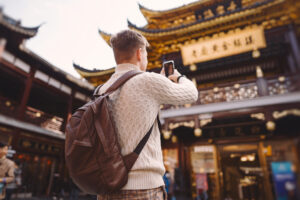
Travelers often focus on getting the perfect shot and forget where they stand. Thieves look for people who are distracted. Keep a firm grip on your device and stay aware of your surroundings.
Avoid Charging at Random Shops
Some stores offer charging but use tampered cables or ports. Stick to official charging stations or your own equipment.
Use Strong Privacy Settings on Social Media
Avoid posting your live location. Criminals sometimes target tourists who reveal their movements publicly. Share photos only after you have left the place.
Prepare for Worst Case Scenarios
No matter how careful you are, accidents can happen. Preparing ahead gives you control even in stressful situations.
Know How to Erase Your Device Remotely
Before leaving, review the steps needed to erase your device from another device or from your cloud account. Practice once so you can do it confidently if the situation arises.
Store Emergency Contacts Separately
If your device is stolen or damaged, you need a backup way to contact someone. Keep a written copy of important numbers in your wallet.
Keep a Temporary Phone as Backup
A small inexpensive phone can be a lifesaver if your main device is lost. You do not need anything advanced, just something that can make calls and send messages.
Understanding Travel Specific Threats
Different destinations come with different risks. When exploring how can you protect a mobile device while traveling, you must understand that not all threats look the same.
High Crime Tourist Cities
Some cities are known for expert pickpockets. They target travelers who carry expensive phones openly. Keep your device hidden and secure whenever you move through crowded streets.
Countries with Limited Network Privacy
Some countries monitor network activity or have weak data privacy laws. Avoid connecting to sensitive accounts in such places. Use a reliable VPN and keep your device encrypted.
Airports and Train Stations
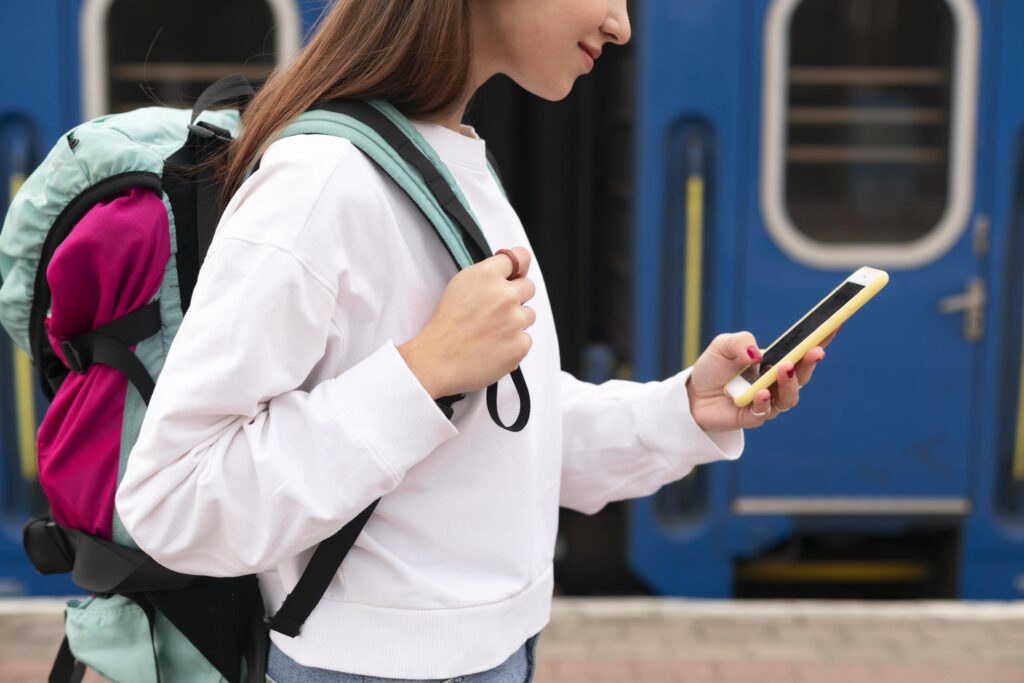
These locations are hotspots for theft because travelers are rushed and distracted. Keep your device in a secure front pocket or in a zipped compartment close to your chest.
Outdoor Adventures
Hiking, beaches, and boat trips expose your device to water, drops, and extreme conditions. Use waterproof cases and avoid taking your device into risky situations unless necessary.
Essential Tools for Secure Travel
Here are the tools that make a real difference in how can you protect a mobile device while traveling:
• A durable protective case
• A screen protector
• A power bank
• A charging only cable
• A secure password manager
• A reliable VPN
• Cloud storage with encryption
• A concealed travel pouch for physical safety
The United Kingdom National Cyber Security Centre also shares valuable travel security advice. You can access their travel security guidelines using this anchor text: NCSC Travel Security Advice.
Keep Your Accounts Secure
Account protection is a core part of mobile safety during travel. Even with perfect device security, weak account protection can expose you to financial or identity loss.
Use Two Factor Authentication
This adds an extra step to your login process, making it much harder for someone to access your accounts even if they steal your password.
Use a Password Manager
It eliminates the need to remember long, complex passwords. With a password manager, you create strong passwords without worrying about forgetting them.
Monitor Your Accounts Regularly
Check your banking, email, and social accounts every day during travel. Early detection helps you stop suspicious activity quickly.
What to Do If Your Device Is Lost or Stolen
If something goes wrong, do not panic. A calm and clear response helps you minimize damage.
Act Immediately
The moment you realize your device is missing, use your tracking tools. Lock your device remotely. If needed, erase the data.
Report the Incident at Once
Notify local police. Then inform your carrier and your bank if you think your accounts are at risk.
Change All Passwords
Change the passwords of your email, social media, and banking apps. This blocks anyone who tries to break into your digital identity.
Final Thoughts
Knowing how can you protect a mobile device while traveling is one of the most important parts of modern travel planning. Your device carries your entire digital life. Losing it or getting it compromised can destroy your trip and put you in financial or personal danger.
The goal is not to become paranoid. The goal is to become prepared. With the steps above a traveler can greatly reduce most risks. Awareness, smart habits, modern tools, and proper preparation work together to keep your device safe and your journey enjoyable.
Frequently Asked Questions
Why is it important to understand how can you protect a mobile device while traveling?
Because travel exposes you to environments where thieves, scammers, and digital attackers look specifically for distracted tourists. Understanding protection methods keeps your device and your personal data safe.
What is the safest way to connect to the internet while traveling?
The safest method is to use your own mobile data or a trusted VPN. This protects you when you need to use public networks and supports strong security for your device.
Can apps help with how can you protect a mobile device while traveling?
Yes. Password managers, secure cloud storage services, and anti theft tracking apps significantly reduce risks during travel.
How can you protect a mobile device while traveling in crowded areas?
Keep your phone in a front pocket or concealed pouch, avoid displaying it openly, and stay aware of your surroundings. Crowded places attract skilled pickpockets.
Should I post my location on social media during travel?
It is safer to avoid sharing live locations. Posting after you leave the place removes the risk of attracting unwanted attention while you are still there.
Related Content
https://exploretravel.blog/cheap-travel-spots-us/
https://exploretravel.blog/is-peru-safe-to-travel-to-guide/